
Python Decorators Explained: The Pie Syntax That Powers Modern Python

A Small Symbol With Big Consequences
Open almost any real-world Python codebase—a Flask web app, a Django project, a machine learning pipeline—and you'll spot lines beginning with an @ symbol sitting just above a function definition. That single character represents one of Python's most quietly powerful features: the decorator. It looks like a small piece of syntax, but it lets developers change what a function does without ever touching the function's original source code [1][6].
Understanding decorators means understanding a habit of thought that runs through Python: functions are not just blocks of code to be run, they are objects that can be passed around, wrapped, and returned like any other value.
Background: Functions as Objects
Before decorators make sense, it helps to know two underlying concepts that Python's decorator tutorials frequently point to as prerequisites: first-class functions and closures [1]. In Python, functions are "first-class" objects, meaning they can be assigned to variables, passed as arguments, and returned from other functions. A closure is what happens when an inner function "remembers" variables from the scope in which it was created, even after that outer function has finished running.
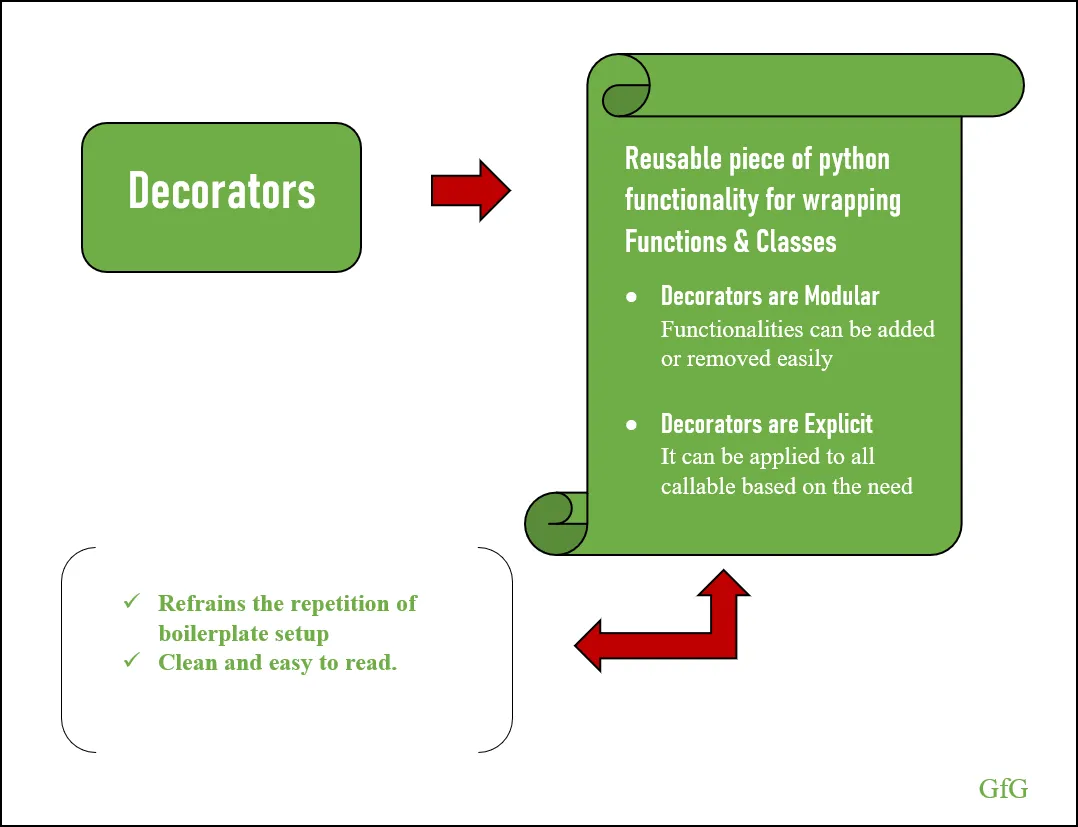
Decorators are built directly on top of these ideas. As Real Python explains, a decorator is fundamentally a way to wrap one function with another: the wrapping function takes the original function as an argument and returns a modified version of it, all without altering the original function's actual code [2]. DigitalOcean's community tutorial echoes this definition, describing a decorator as something that "takes a function, adds behavior around it, and returns a new function without touching the original code" [6].
Source: Primer on Python Decorators – Real Python — realpython.com
How Decorators Work
At its core, writing a custom decorator involves three steps: define an outer function that accepts another function as its argument, define a nested "wrapper" function inside it that adds new behavior, and return that wrapper function [2]. When the wrapper calls the original function inside itself, it can execute code before and after that call—which is precisely how decorators add functionality such as logging, timing, or access checks without editing the decorated function directly.
The @decorator_name syntax placed above a function definition—often called "pie syntax" because of the @ symbol—is simply a cleaner, more readable way of writing this wrapping process, equivalent to manually reassigning a function to the result of passing it into the decorator [3][6]. A well-known built-in example is property, where behind the scenes Python effectively performs an assignment like name = property(name); recognizing this equivalence, as one Medium walkthrough on decorators and property argues, is a useful first step toward understanding "how it really works" under the hood [3].
To handle functions that take various numbers of arguments, custom decorators typically rely on *args and **kwargs in the wrapper function, which allows the same decorator to be applied flexibly to different functions regardless of their parameter signatures [6].
Key Practical Uses

Source: functools.wraps: better Python decorators — lernerpython.com
Across the sources, a consistent list of use cases emerges for why decorators matter beyond being a syntactic curiosity:
- Logging: adding a record of when and how a function is called, without rewriting that logic inside every function [1][2][6].
- Timing and performance measurement: wrapping a function to measure how long it takes to execute, useful for profiling and benchmarking [2][6].
- Access control and authentication: enforcing rules about who is allowed to call a function, such as Django's
@login_required, which protects pages behind an authentication check [2][6]. - Caching results: storing and reusing the output of expensive function calls [2][6].
- Validation: checking inputs or conditions before letting the original function run [6].
DigitalOcean's tutorial frames the broader motivation succinctly: writing a piece of logic like logging once, as a decorator, and then reusing it everywhere is one of the biggest reasons decorators are so widely adopted in real-world Python projects [6]. This reasoning extends into major frameworks: Flask and Django use decorators such as @app.route('/home') to define web routes, and libraries like FastAPI, PyTorch, and TensorFlow lean on decorators as well [6]. Python's own built-in @staticmethod and @classmethod decorators are further everyday examples of the pattern already baked into the language [6].
Stacking, Order, and a Common Pitfall
Decorators are not limited to one at a time. Multiple decorators can be "stacked" on top of a single function by listing them one above another before the function definition [2][6]. But stacking introduces a subtlety that both Real Python and Miguel Grinberg's decorator series stress: the order in which decorators are applied matters, because each decorator wraps the next one down, and this nesting order shapes the final behavior of the decorated function [2]. A comment on Grinberg's series about decorators with arguments notes a concrete case from Flask: the app.route decorator generally needs to be the outermost one (appearing on top) in a stack, otherwise the routing behavior may not take effect as expected [5].
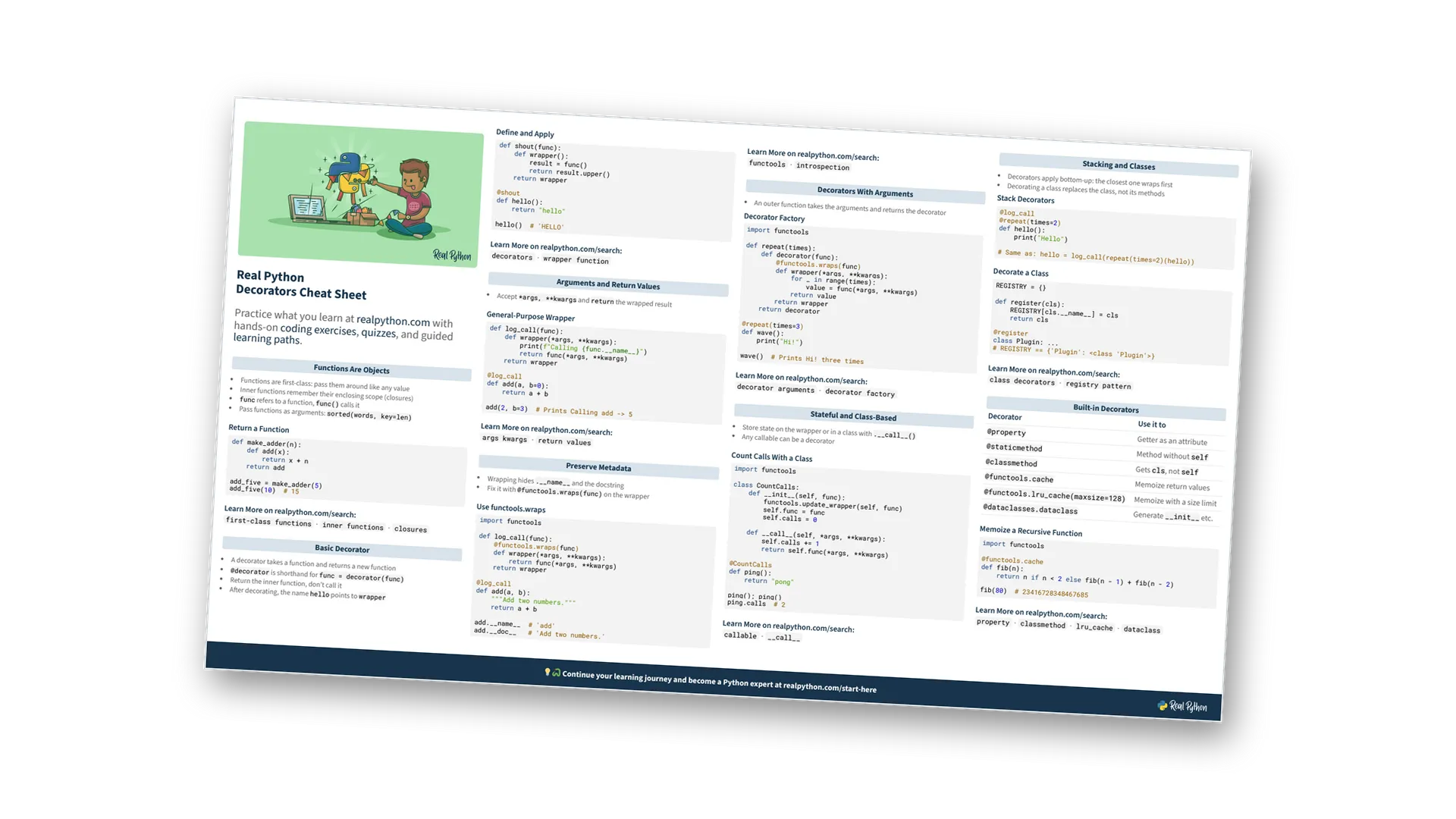
A second widely flagged pitfall concerns function identity. When a function is wrapped by a decorator, the wrapper function that gets returned is technically a different function object, and by default it doesn't carry over the original function's name, docstring, or argument signature. Calling help() on a decorated function, without precaution, will report the wrapper's own generic name and a vague (*args, **kwargs) signature instead of the original's [4]. The fix, several sources agree, is to decorate the inner wrapper function with functools.wraps(func), imported from the functools module. This is a decorator itself—one that takes an argument—and applying it copies over the original function's name, docstring, and signature onto the wrapper [4]. Commenters on Grinberg's series repeatedly point this out as a near-mandatory addition, and DigitalOcean's guide likewise calls functools.wraps a "best practice" that should be considered standard when writing decorators [4][5][6]. It's worth noting, however, that functools.wraps only restores metadata; it does not eliminate the boilerplate of writing the wrapper function itself, as Grinberg has clarified in response to reader questions [5].
Analysis: Power With a Learning Curve
Decorators occupy an interesting middle ground in Python's design. They are simple in mechanical terms—an outer function returning an inner function—yet they routinely get labeled a "more advanced" topic, one tutorial makers recommend approaching only after grasping closures and first-class functions [1]. This dual nature likely explains both their popularity and their reputation for occasionally confusing newcomers: the payoff (clean separation of cross-cutting concerns like logging, caching, or authentication from core business logic) is significant, but the underlying machinery of nested functions, argument forwarding, and metadata preservation requires some deliberate study to use safely, especially once decorators are stacked or given their own arguments [2][5].
The fact that decorators underpin core parts of major frameworks—routing in Flask and Django, access control patterns, and features in libraries like PyTorch and TensorFlow—suggests that, despite the learning curve, the trade-off has been judged worthwhile by the wider Python ecosystem [6].
Conclusion
Python decorators let developers add or alter behavior around existing functions, cleanly and repeatedly, without rewriting the functions themselves [1][2][6]. They rest on the idea that functions are ordinary objects that can be wrapped and returned, expressed conveniently through the @ "pie syntax" [3]. Understanding their mechanics—how wrapping works, how stacking order affects behavior, and why functools.wraps matters—turns what can look like a small syntactic quirk into one of the more practical tools in a Python programmer's toolkit [2][4][5][6].